SEE THE PIT WALL.
These are real screens from the current beta: your session, your laps, your fuel plan, your setup and your stream, all in one app on your PC.
YOUR SESSION AT A GLANCE.
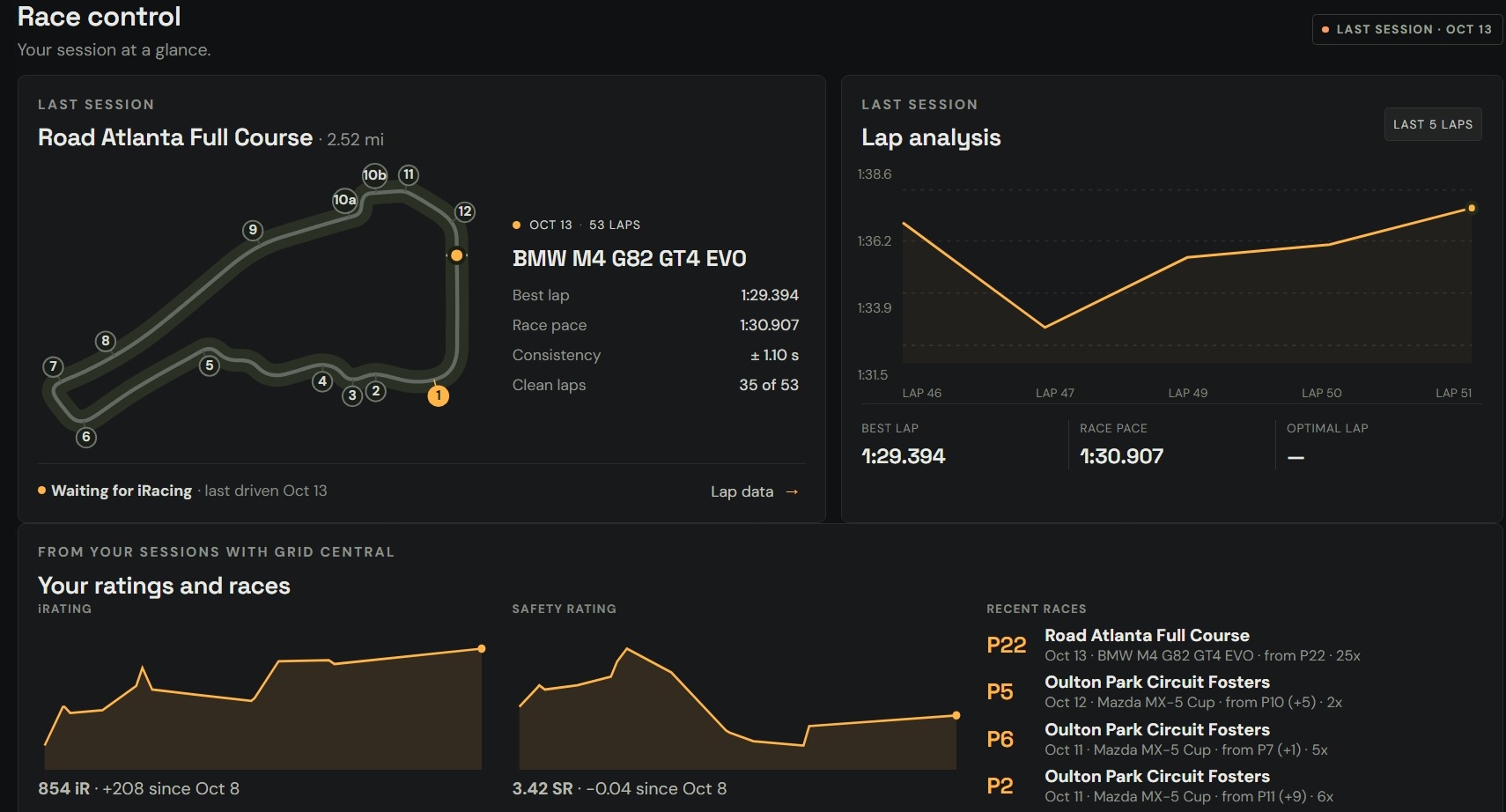
Climb out of the car and the debrief is already waiting. When iRacing isn't live, Race control shows your last session.
- iRacing's own track map with every corner, plus best lap, race pace, consistency and clean laps
- Your iRating and safety rating over time, and your recent races
- A written debrief from your engineer: pace against last time, where you lose the most and what to work on next
EYES ON BOTH MIRRORS.
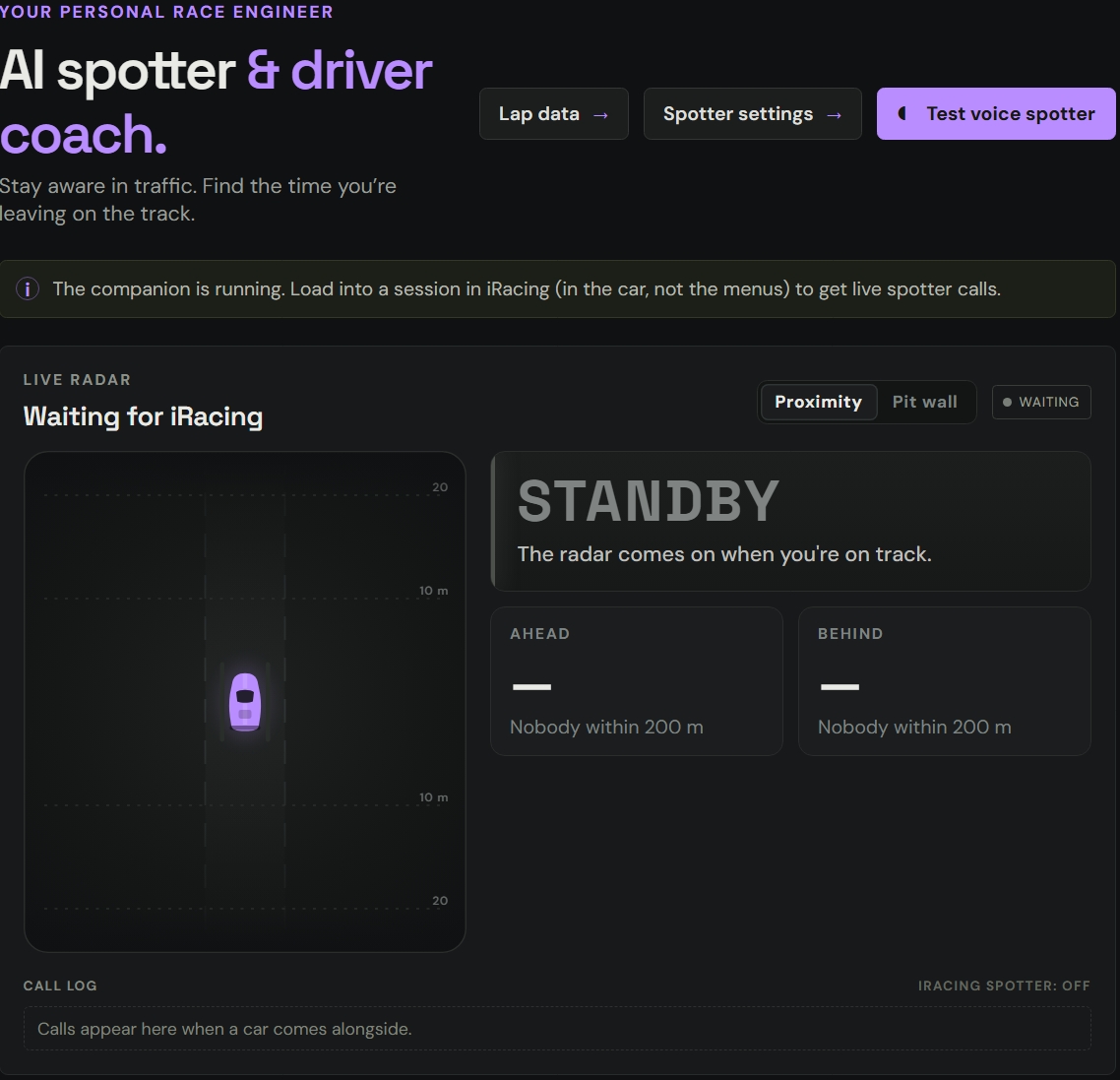
Your spotter calls cars alongside, flags and trouble ahead, so you keep your eyes on the apex.
- A live radar with cars where they really are: watch one creep up from your rear wheel to level with you
- Car numbers and class colours, the gaps ahead and behind and whether they're closing
- Proximity view for a big radar, or Pit wall view beside the relative timing
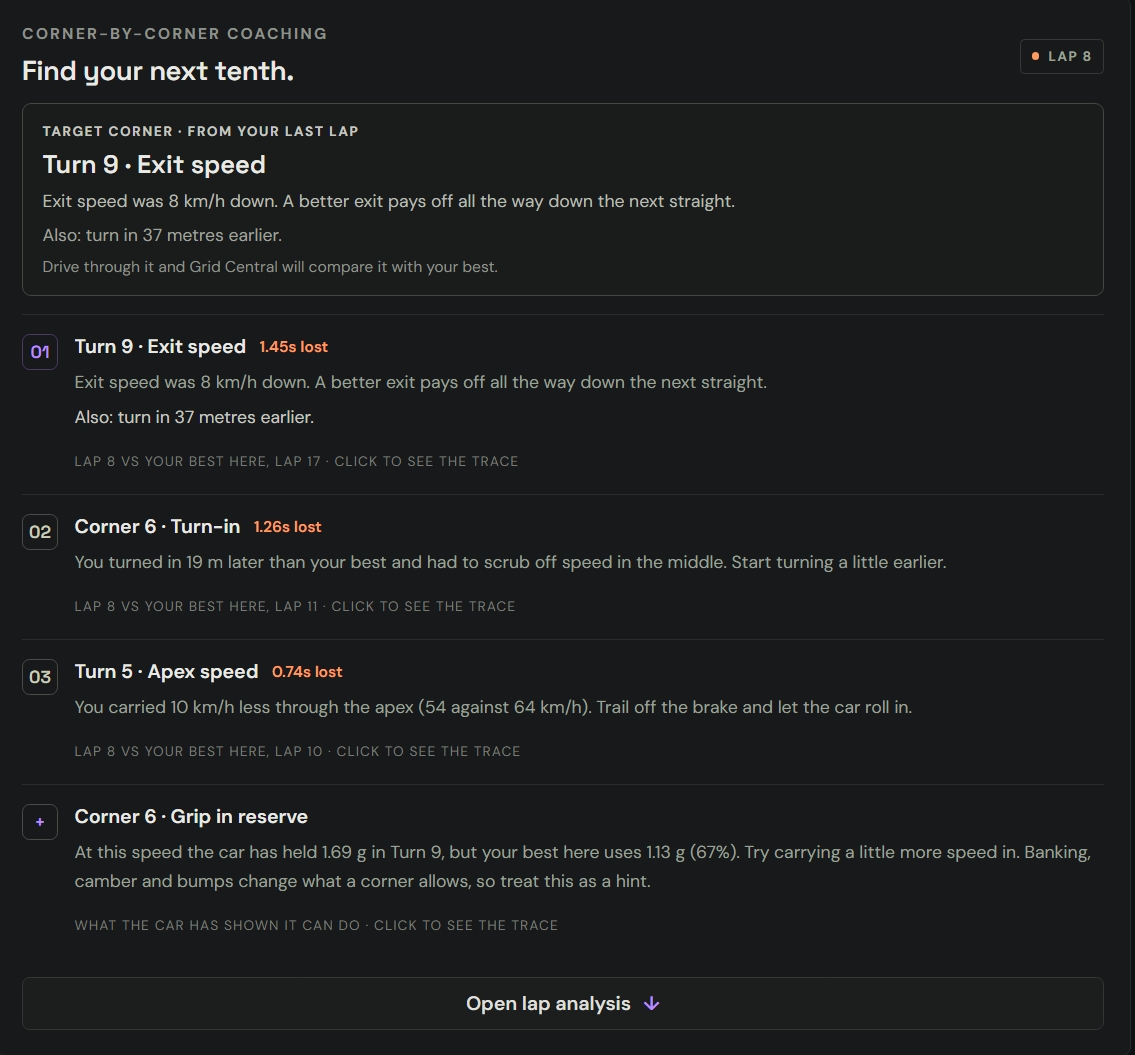
EVERY CORNER, COACHED.
Each corner is compared with your best time through it from all your clean laps, so even your best lap gets coached where another lap was quicker.
- A target corner from your last lap: what it cost and what to change next time through
- Braking, turn-in, apex speed and exit speed, with the biggest cause first and one "Also:" when something else cost time too
- Grip in reserve: a hint where the car has already shown it can carry more speed
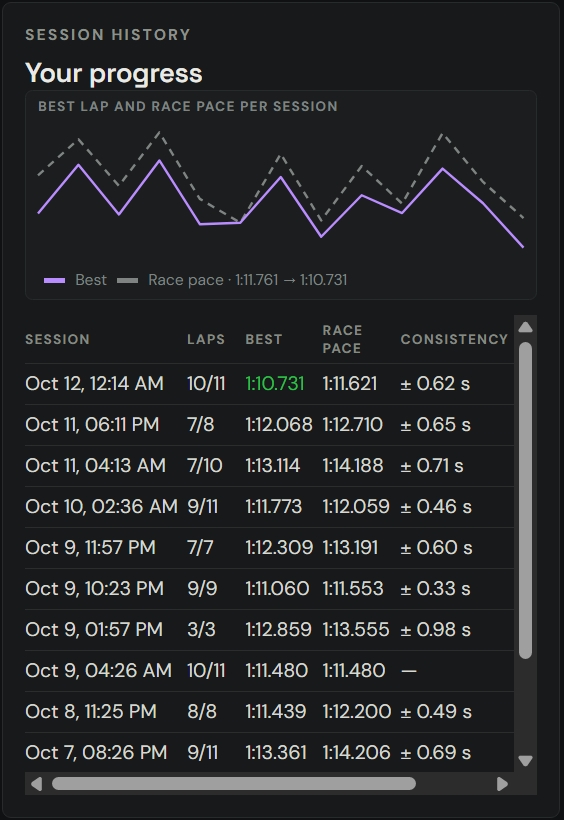
WATCH YOURSELF GET FASTER.
Every session is kept, so you can see the trend, not just today's best lap.
- Best lap, race pace and consistency for every session, charted over time
- The corners that keep costing you time, and the ones you've fixed
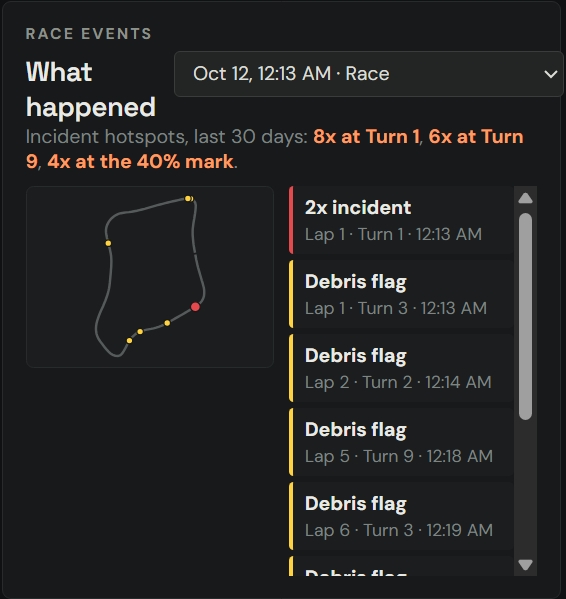
- Race events on the track map: incidents, flags and your hotspots from the last 30 days
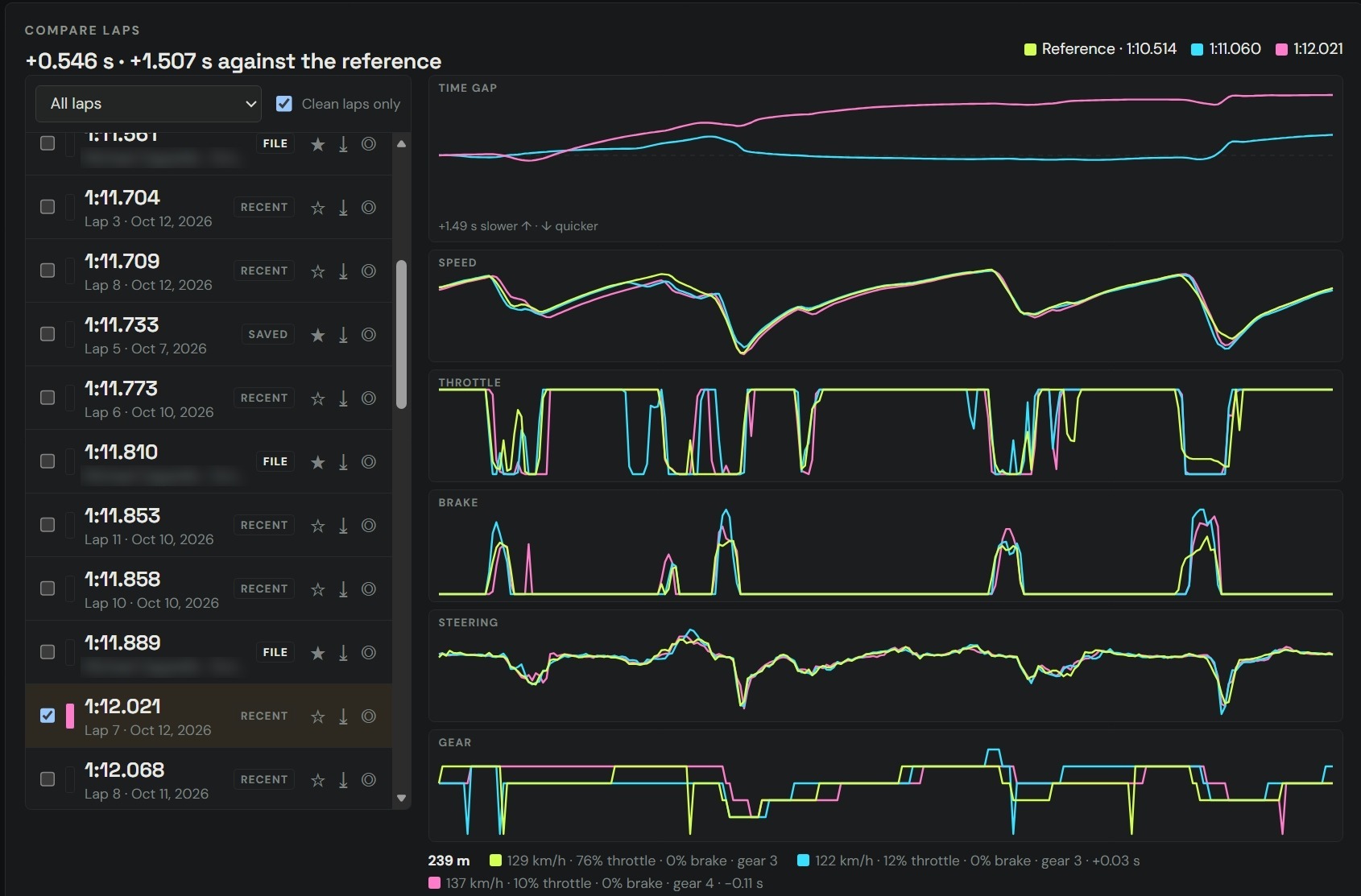
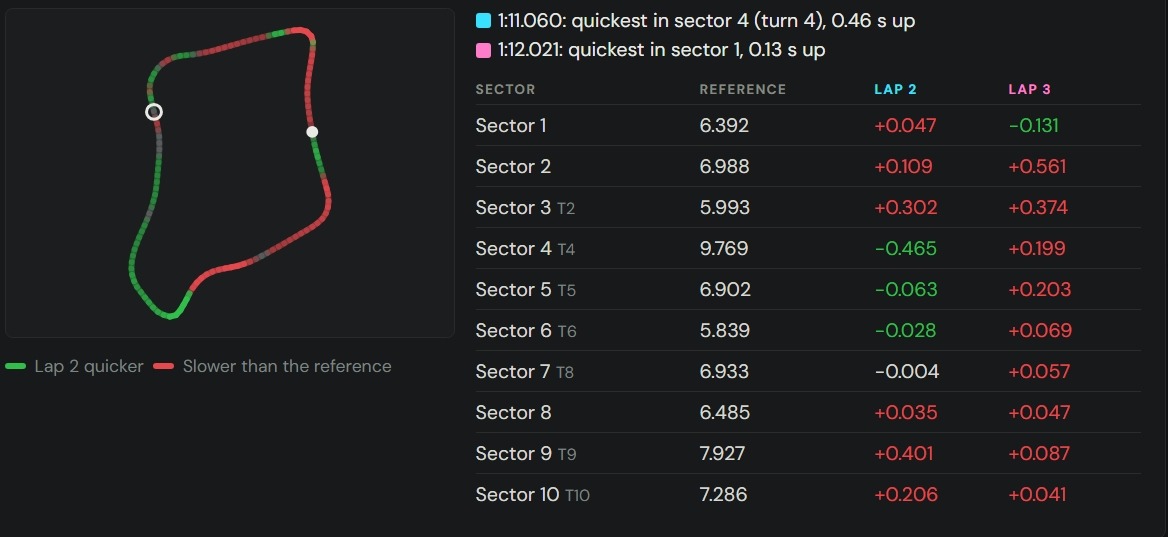
LAY LAPS ON TOP OF EACH OTHER.
Time gap, speed, throttle, brake, steering and gear, trace on trace. Then the sector table and the track map show exactly where each lap was quicker or slower.
- Load laps from iRacing's telemetry files (.ibt)
- Share laps with friends as .gclap files and coach against theirs
- Download reference laps from the online lap library
THE PIT PLAN BEFORE THE GREEN FLAG.
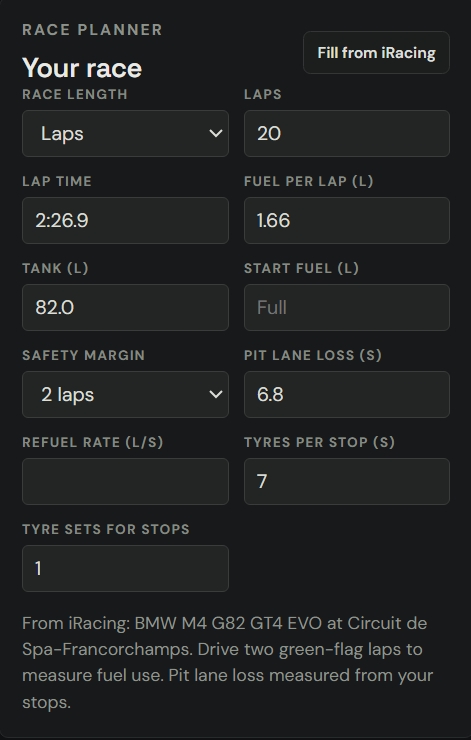
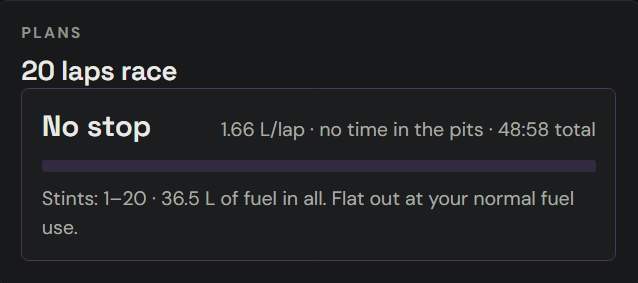
Press Fill from iRacing and the planner reads your car, the track, your fuel use and your pit lane loss. It works out the stops, then keeps watch on the cars around you.
- The lap to box, the pit window, fuel to add, tyres and stop time, or no stop at all when the fuel goes the distance
- A fuel-saving plan when saving could drop a stop
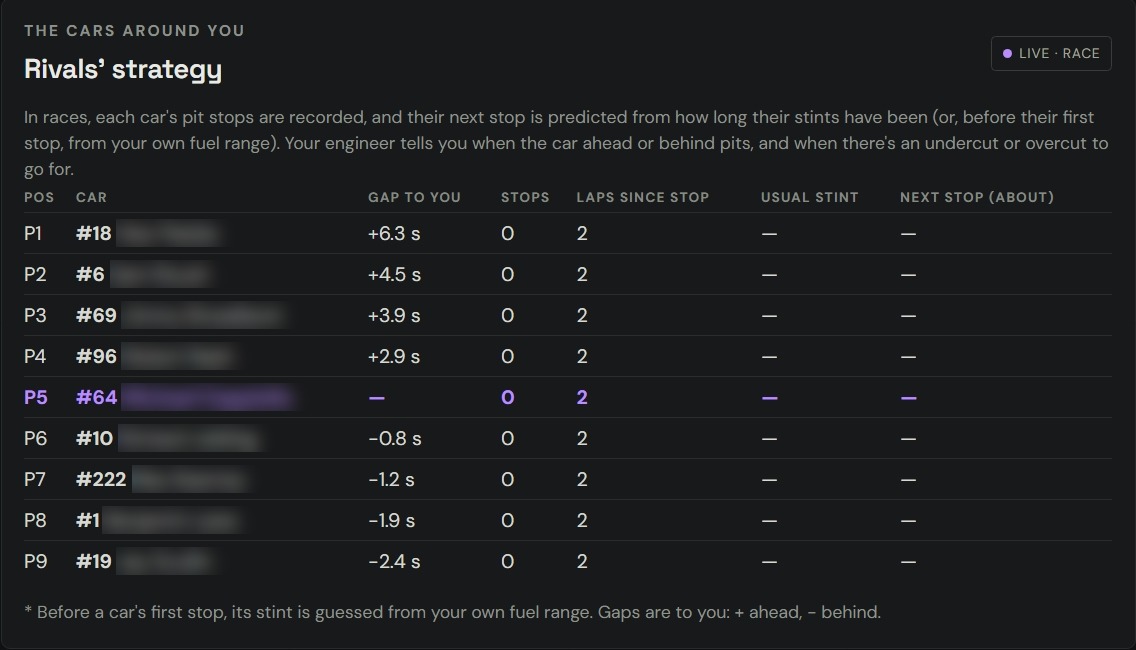
- Rivals' strategy: every car's stops recorded and its next stop predicted, with a call when there's an undercut or overcut to go for
- In the race your engineer calls it: "Pit window is open", "Box this lap, add 42 litres"
TELL IT WHAT THE CAR IS DOING.
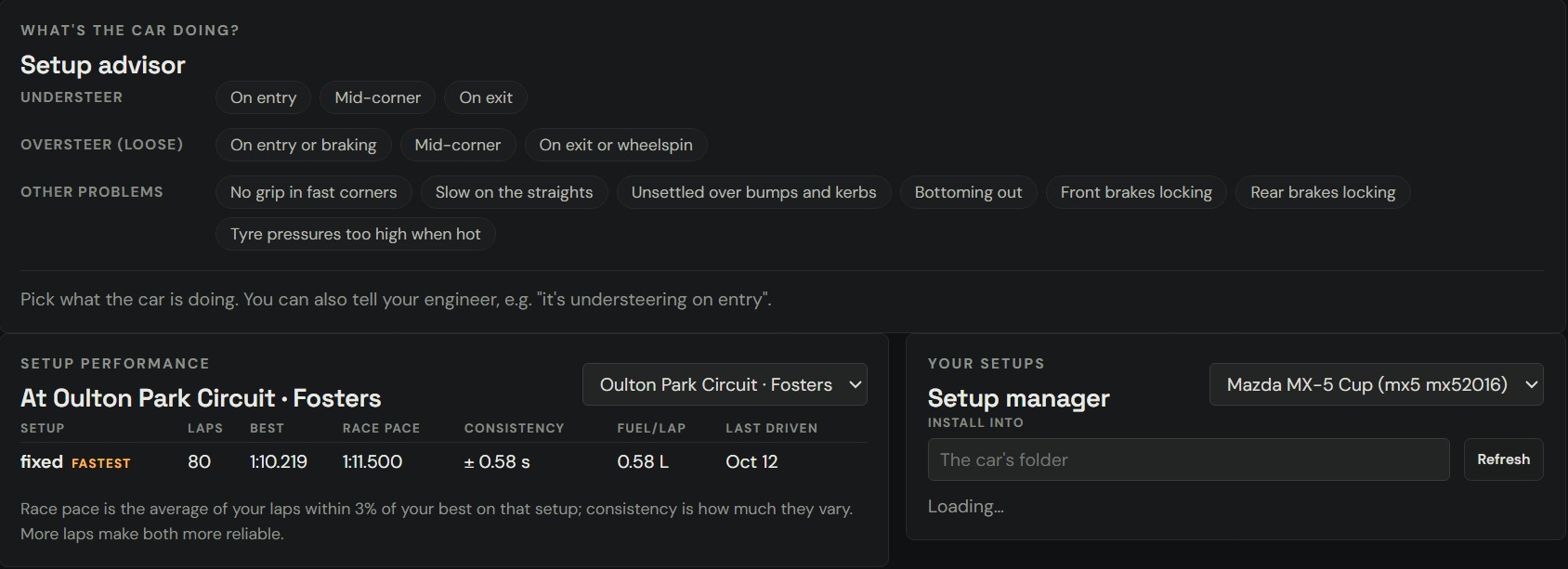
Pick the problem, or just tell your engineer "it's understeering on entry". You get the garage changes to try for your car, with what each one is set to now.
- Checks your last laps for where the car really understeers or oversteers
- A testing log: drive 3 clean laps either side of a change and see if it was faster, and where
- Your setups per car and track, with pace, consistency and fuel use for each
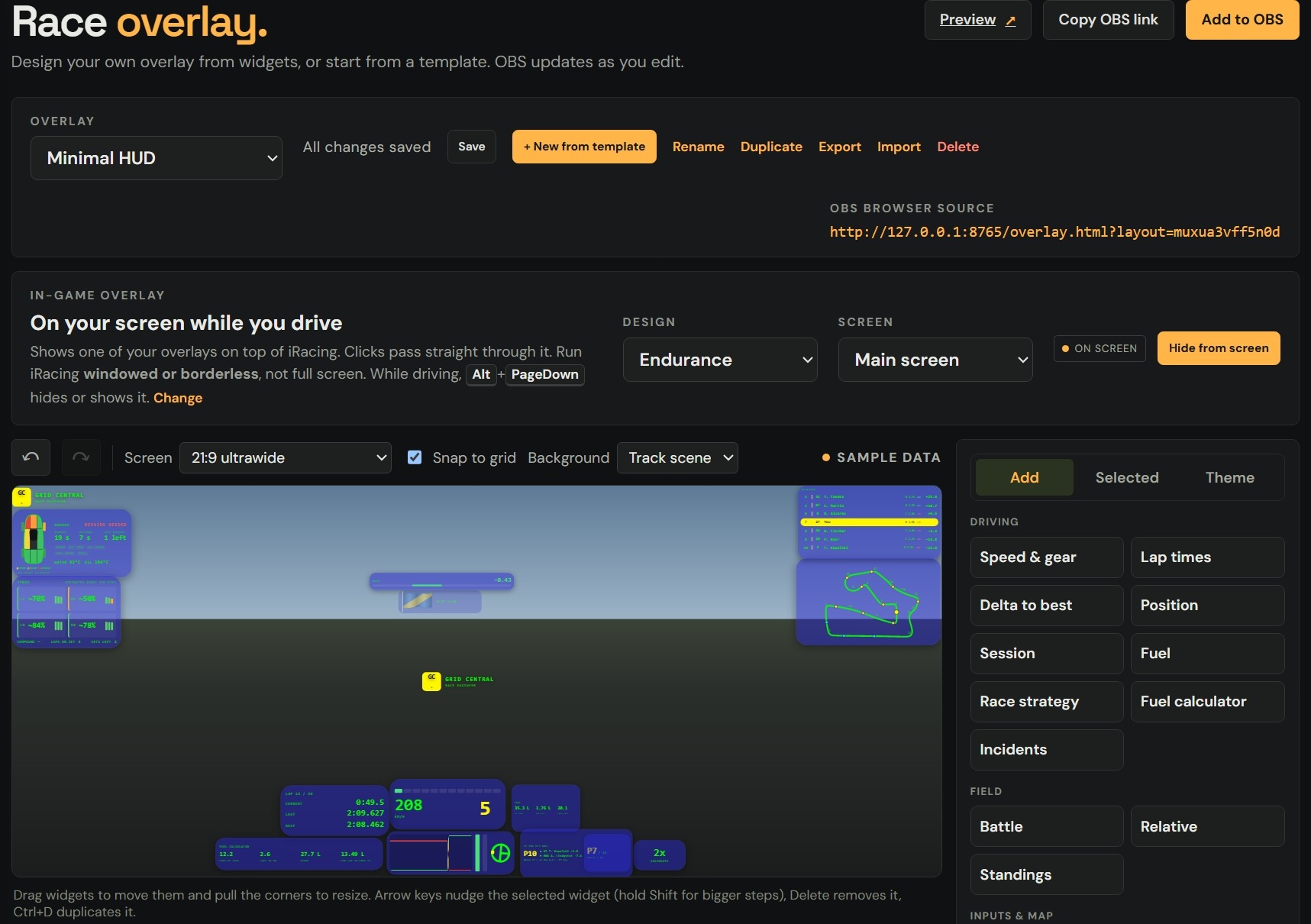
DESIGN YOUR OWN OVERLAY.
Start from a template or build from widgets. Drag, resize, change the colours, and OBS updates as you edit.
- Widgets for speed and gear, delta, fuel, strategy, relative, standings, battles, damage, tyres and more
- An in-game overlay on top of iRacing while you drive. Clicks pass straight through it
- Ultrawide ready: 21:9, 32:9 or your exact screen
TWO VOICES IN THE BOOTH.
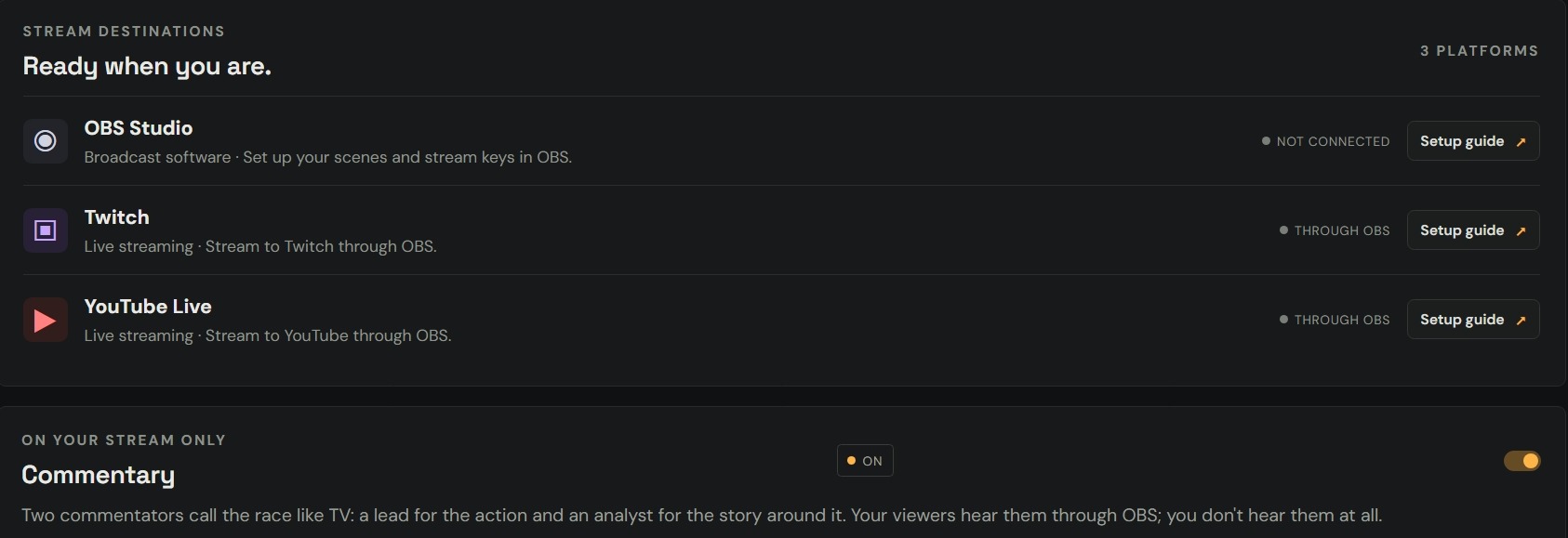
A lead calls the action and an analyst tells the story around it. Your viewers hear them through OBS; you don't hear them at all.
- Passes, offs, battles and pit stops called when and where they happen
- Natural AI voices made on your PC, no internet needed after a one-time download
- Stream through OBS to Twitch or YouTube, with setup guides in the app